File System
Instructions for deploying the file system to the Paxophone's SD card.
Prerequisites
- An SD card:
- Micro SDHC type.
- No minimum capacity recommended (the basic content is lightweight).
- Formatted in FAT32.
- A PC with a microSD card reader.
- A web browser with access to GitHub (no account required).
ℹ️ Info
The card provided in the 2025 Kickstarter kit is a:
micro SDHCtypeC10andU1speed classUHS-1bus interface16GBcapacity
💡 Tip
For those allergic to graphical interfaces, the procedure can be entirely performed from the command line 😉
Downloading the Files
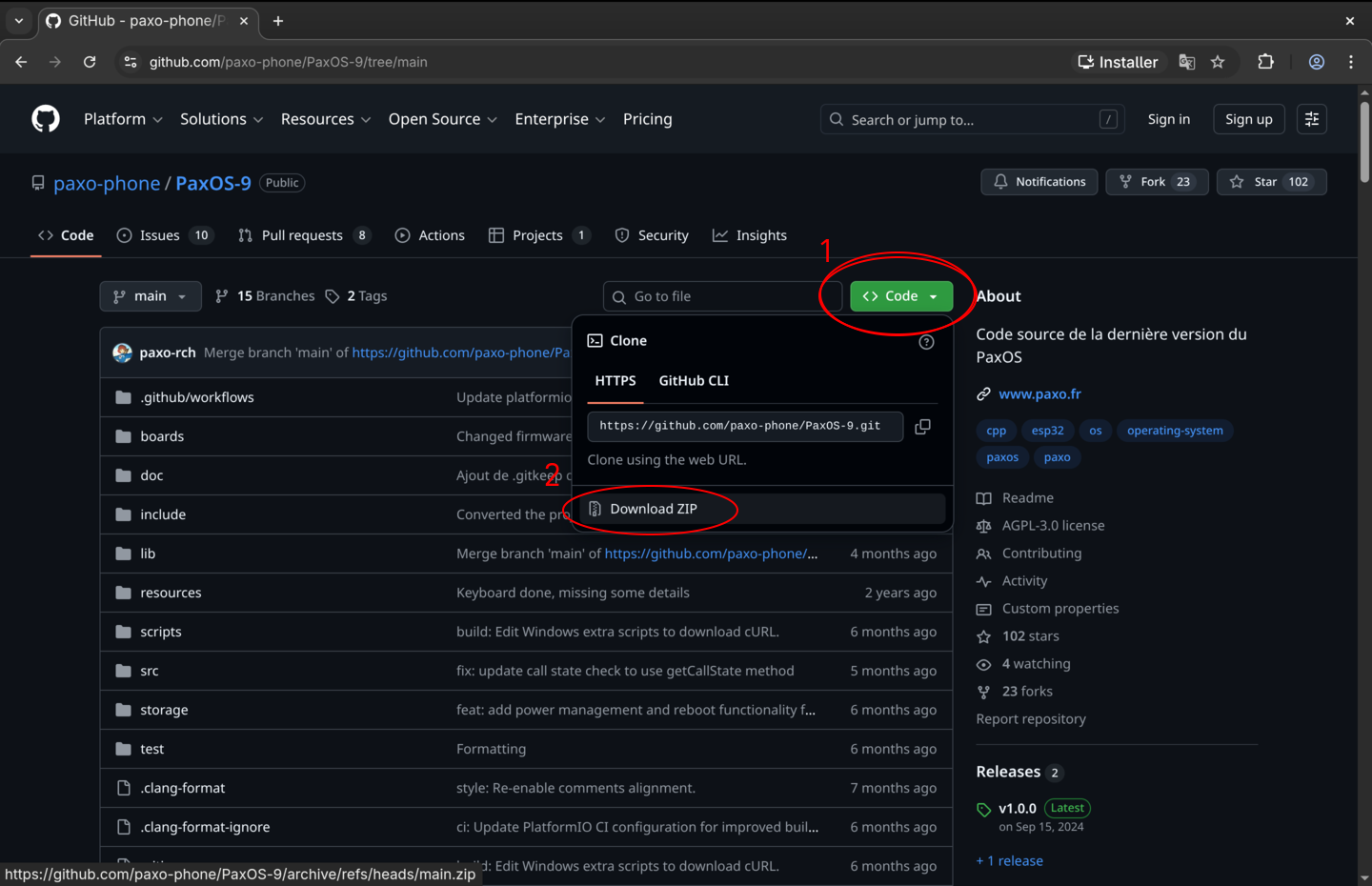
Using a web browser, go to the official GitHub repository for PaxOS 9.
Click the "Code" button and then "Download ZIP" to download the complete project archive.
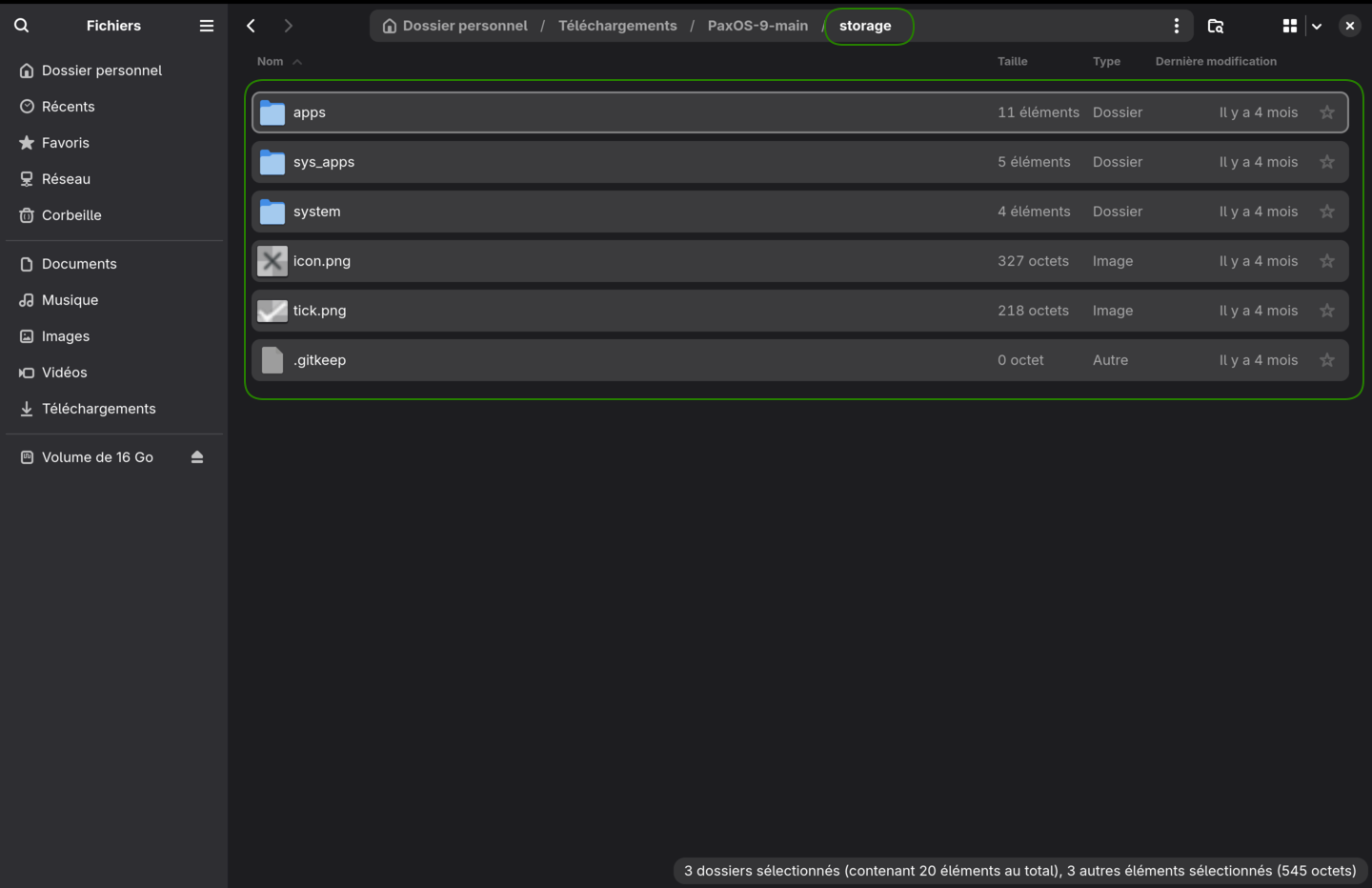
In a file manager (Explorer, Finder, Nautilus, etc.), decompress the archive.
Navigate to the "Storage" directory and select and copy its contents.
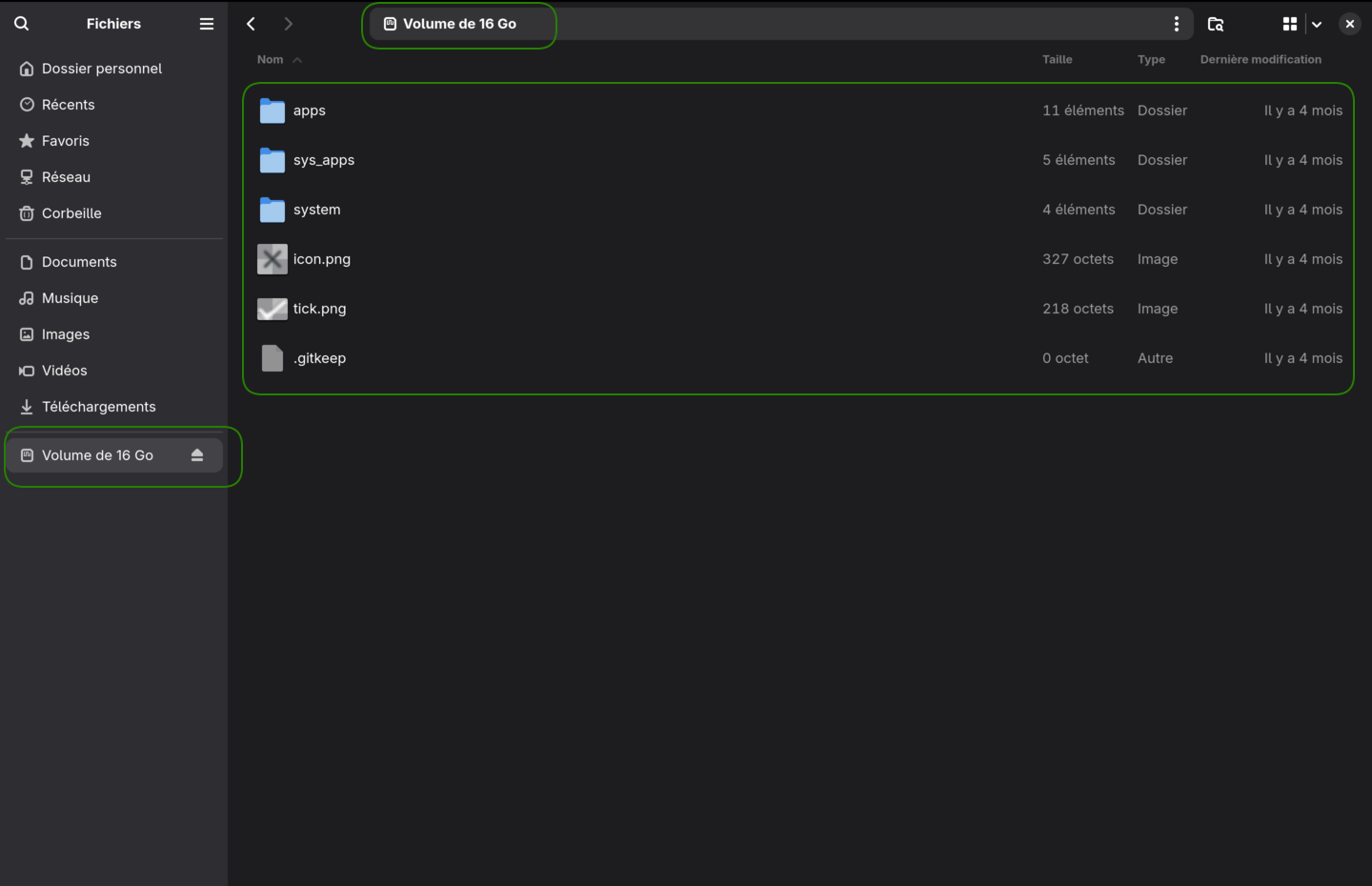
Copying the Files to the microSD Card
Go to the root of the microSD card and paste the contents there.
Eject/unmount/safely remove the microSD card from the system and then physically remove it from the computer.
Using the microSD Card
Insert the microSD card into the designated slot on the Paxophone (refer to the last steps of the assembly instructions).
Restart the device or press the reset button.